Browse AI tool listings collected from TAAFT's Just Released page as structured JSON. Query by page, year and month for recent or archived records, with tool details and engagement metrics. Collected about once an hour.
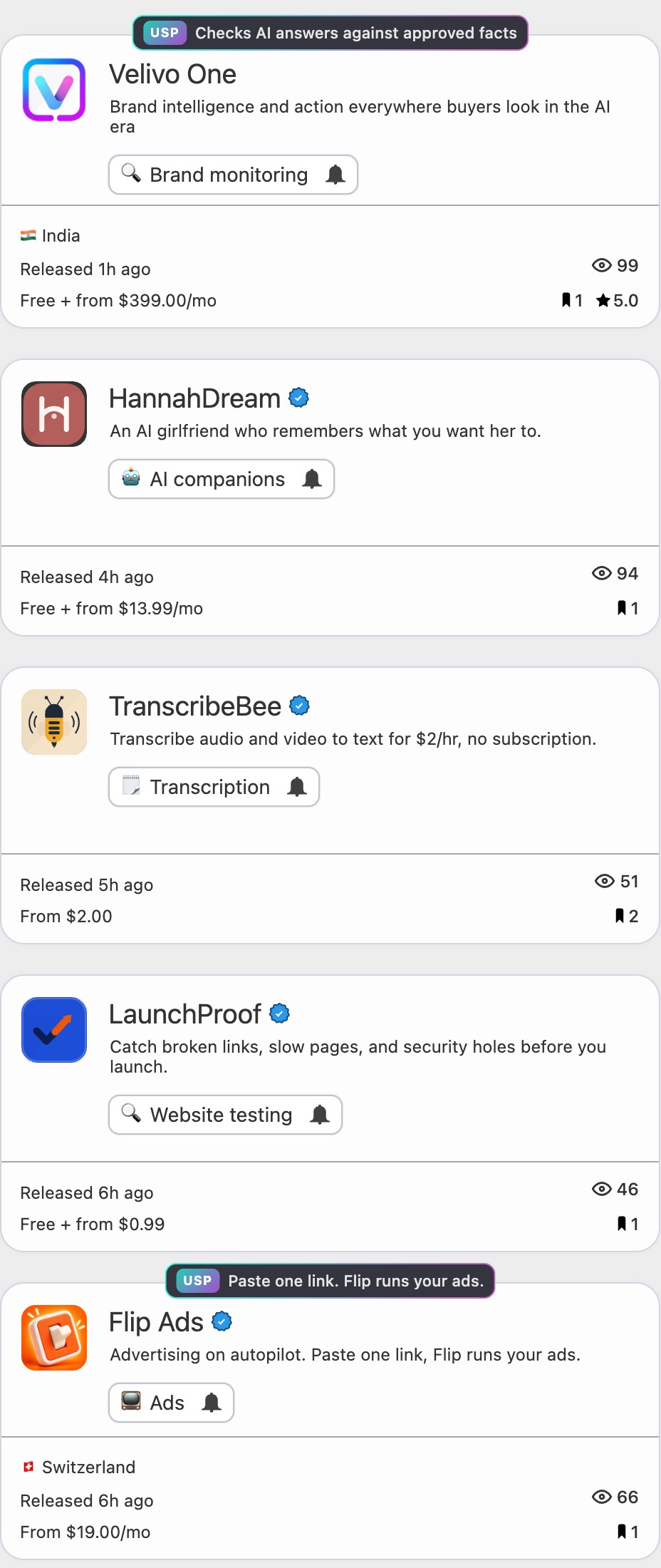
This screenshot shows five consecutive tool entries from the Just released list, helping you identify the corresponding website view. View the corresponding page
Analyze release timing and available engagement metrics.
Listing and website links
sourceUrl, websiteUrl
Open the matching listing or the tool website.
The website view shows tools from the last seven days; this API also supports release year and month archives. The catalog is collected about once an hour. Archived months stay unchanged, while the latest month can update. A page usually contains about 200 listings; check pageSize and items in the response. Each non-empty successful page is charged once at the current rate shown in the API Tester.
TAAFT DATA OPTIONS
Filter by year and month, or query a day?
The tools catalog accepts a release year and optional month; Just Released queries one of the latest 30 calendar days (UTC+8).
Tools catalog: filter by year and month
Current API
GET /api/v1/taaft-tools
Request
page starts at 0; year can stand alone, month requires year. Omit both to query all listings.
Coverage
All available listings, a selected year or a selected month; usually about 200 per page.
Result
Paginated items, totals, nextPage and available engagement metrics.
Best for
Build a directory, compare months or review tool categories at scale.
Just Released: browse recent listings by date
GET /api/v1/taaft-just-released-api
Request
Optional day (YYYYMMDD); defaults to today (UTC+8). year and month are not supported.
Coverage
Latest 30 calendar days including today (UTC+8), one day per request; no pagination.
Result
Available items for the selected day, without page totals or engagement metrics.
Best for
Track today's listings or compare selected days for research leads.
Both collections run about once an hour. The query windows and result shapes differ, so records and counts need not match; catalog page 0 is not today's daily list.
Explore new and archived AI tools
Browse by release month
Explore the latest listings or select a past year and month, then follow the returned nextPage.
Structured tool details
Get names, categories, summaries, release times, pricing text and available engagement metrics in JSON.
Check the matching listing
Use each sourceUrl to open its tool listing, or websiteUrl to visit the tool website.
Put the listings to work
Use these catalog records as input to your own review, research and publishing workflow.
Curate an AI tools directory
Review names, categories and website links from recent pages before publishing selected entries in your directory.
Prepare a newsletter shortlist
Use descriptions and listing timestamps to select candidates for a daily or weekly digest, then verify details before sending.
Review a product niche
Fetch recent or archived months, then filter returned items by category or description in your own app to review possible competitors.
Frequently asked questions
Use this API for paginated listings by page, year or month, with totals and available engagement metrics. The daily API returns one of the latest 30 calendar days (UTC+8). Results may differ.
Supports page (default 0), optional release year, and optional month with year. Future years and months are rejected in UTC+8. Omit month for the entire year; omit both for all releases.
One request reads one page, usually about 200 listings; check pageSize for the actual size. A non-empty successful page is charged once at the current rate shown in the API Tester. Empty lists and failures are not charged. A tool's pricingText is separate from API credits.
The catalog is collected about once an hour. Archived months stay unchanged; the latest month can gain new listings. When paging through a changing month, follow the returned total and nextPage.
Returns total, page, pageSize, totalPages, hasMore and nextPage. Use nextPage while hasMore is true; nextPage is null on the last page.
The initial result is a saved example. Submitting a test executes a live query, including page 0.
This endpoint accepts page, year and month only. Fetch the relevant pages, then filter returned items in your own app. There is no day or rolling 24-hour parameter.
Not necessarily. It is the release timestamp returned with a listing, preserved without adding a timezone. Verify the product's actual launch date separately.
It covers the listings returned by this catalog. Its counts do not represent all AI product launches or prove market growth.
This endpoint returns data on request. Schedule calls, store and compare results, and send alerts or publish selected tools in your own workflow.
RELATED APIS
Explore related GoAnyAPI APIs
Choose another signal for your research, then compare the results in context.